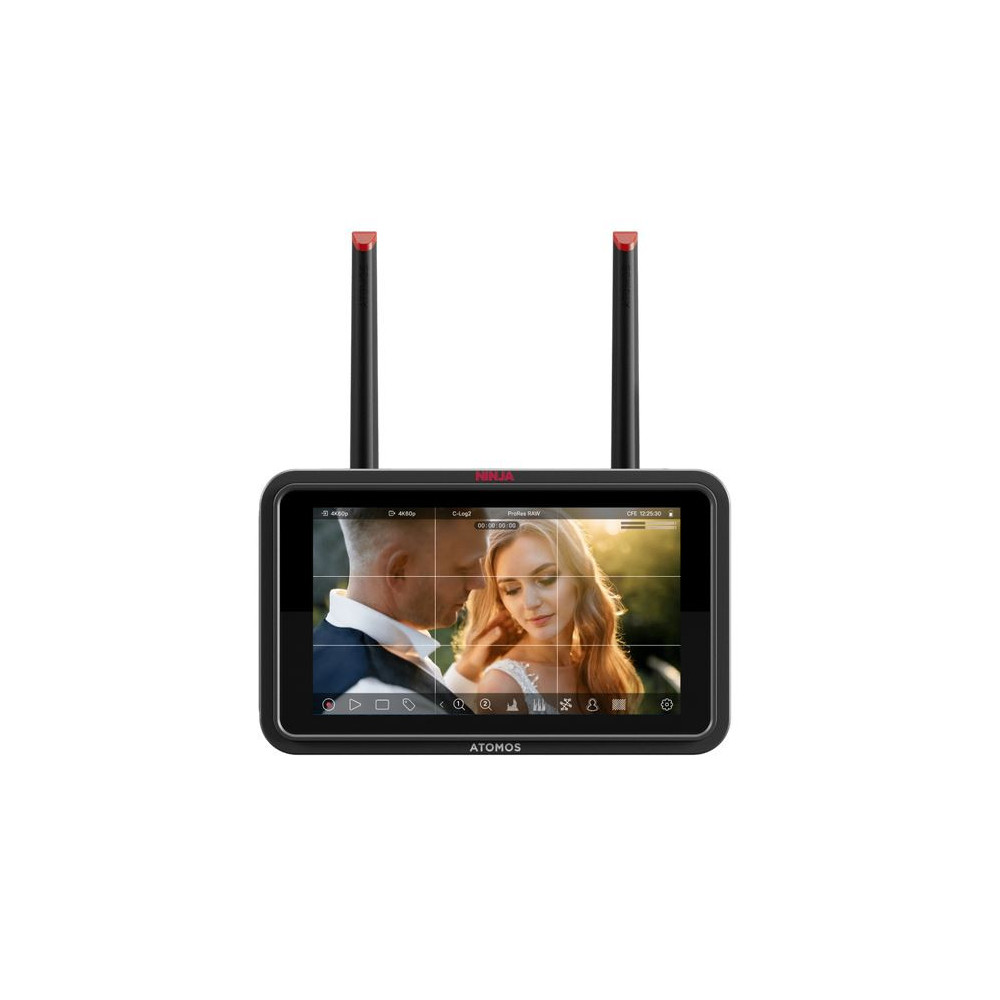
The Atomos Ninja TX GO is a professional-grade, ultra-portable 5″ monitor-recorder tailored for filmmakers, creators, and on-set productions. With a blazing 1500-nit HDR touchscreen, it offers superior visibility even in bright daylight, far surpassing most camera built-in displays. The intuitive touch interface makes adjusting recording settings and monitoring tools effortless.
Designed for HDMI-based cameras, the Ninja TX GO supports up to 6Kp30 RAW recording directly via HDMI to high-performance media like CFexpress Type B or USB-C SSDs. Preloaded codecs — including Apple ProRes, ProRes RAW, Avid DNx, H.265/H.264 — provide flexibility across post-production workflows.
Running on the AtomOS Linux platform, it delivers fast performance, reliability, and over-the-air (OTA) firmware updates. Advanced monitoring features such as EL Zone (false color), waveform, vectorscope, focus peaking, zebras, and LUT support (3D/1D) give you full control over exposure, color, and framing.
Connectivity is taken to the next level with built-in Wi-Fi 6E, enabling seamless camera-to-cloud workflows with 20 GB of free Atomosphere storage or live streaming via NDI 6 / HX3. Plus, a forthcoming OTA update will enable camera control (aperture, shutter, ISO, touch-to-focus) on compatible cameras directly from the monitor.
The Ninja TX GO is built to be rugged yet compact — weighing around 400 g and powered via USB-C PD, NP-F battery, or AC adapter — making it a perfect companion for run-and-gun setups, vlogging, live production, or efficient cloud-based workflows.
Main Features
- Super-bright HDR display: 1500-nit touchscreen ideal for outdoor monitoring.
- 6Kp30 RAW recording: Capture uncompressed image data via HDMI.
- Wide codec support: ProRes, ProRes RAW, DNx, H.265, H.264.
- Professional monitoring tools: False color (EL Zone), waveform, scope, focus peaking, zebras.
- LUT compatibility: 3D (.cube) and 1D LUT support for color calibration.
- Advanced connectivity: Wi-Fi 6E, NDI 6 / HX3 TX & RX.
- Camera control: Aperture, ISO, shutter, focus (via OTA update on compatible cameras).
- OTA firmware updates: Stay up to date easily over Wi-Fi.
- Robust cable locking: Secure HDMI and USB-C connections for on-set use.
- Versatile power options: USB-C PD, NP-F battery, AC adapter supported.
- Portable: Lightweight (≈400 g) with mounting points for rigging.
Technical Specifications
- Display: 5.2″ IPS touchscreen
- Resolution: 1920 × 1080 pixels
- Brightness: 1500 nits
- Backlight type: Edge-lit
- Color gamut: Rec.709
- Gamma modes: Log (various), HLG, PQ, with 3D/1D LUT support
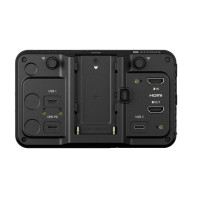
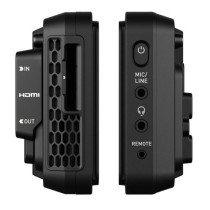
- Video input: HDMI 2.0
- Video output: HDMI 2.0 loop-through
- Media slot: CFexpress Type B
- USB ports: 2 × USB-C (storage, power, calibration)
- Supported codecs: Apple ProRes, ProRes RAW, Avid DNx, H.265/H.264
- Max recording: 6Kp30 RAW over HDMI
- Wireless connectivity: Wi-Fi 6E built-in
- Streaming: NDI 6 / HX3 TX / RX
- Operating system: AtomOS (Linux-based) with OTA updates
- Cable locking system: Secure lock HDMI & USB-C
- Power input: USB-C PD, NP-F battery, AC adapter
- Power consumption: Up to 30 W
- Construction: Aluminum + ABS plastic
- Mounting: ¼″ anti-rotation top & bottom
- Weight: ~400 g
- Warranty: 1 year (extendable to 2 with registration)
What’s in the Box
- Ninja TX GO monitor-recorder
- Locking HDMI cable adapter
- Locking USB-C cable adapter
- 2 × Wi-Fi antennas
- 5 × antenna tips (black, white, yellow, green, red)
- 2 × antenna caps
- 45 cm locking USB-C cable
- Quick Start Guide
FAQ
Who is the Ninja TX GO designed for?
It’s ideal for filmmakers, creators, vloggers, and on-set operators using HDMI cameras who need a compact, powerful monitor-recorder.
Can I record RAW with it?
Yes, it supports up to 6Kp30 RAW recording via HDMI onto CFexpress Type B or USB-C SSD.
Do I need a special HDMI cable for high-quality recording?
Yes, it's recommended to use an HDMI 2.0 / High-Speed 2.0 cable to handle the required bandwidth for high-resolution signals.
Can I power it with a regular camera battery?
Absolutely. You can use NP-F batteries, USB-C PD power, or an AC adapter, depending on your setup.
How does the cloud transfer work?
Thanks to the built-in Wi-Fi 6E, you can upload footage directly to Atomosphere (20 GB free), Frame.io, or Dropbox, or stream live via NDI.
Is camera control already enabled?
Not yet at launch: camera control (for aperture, shutter, ISO, focus) will be available via a free OTA firmware update for supported cameras.


 Italiano
 Inglese